Chip Rendering
The way each chip renders in the Karli Studio chat is deduced from its row in the Chips table — there is no explicit "type" field. Three rendering modes are possible:
Action Chip (no values)
Leave Dropdown Values empty.
The chip is a simple, tappable action — selecting it triggers the chip's output without carrying any extra value. Use this for binary actions such as Translate, Summarize, or Explain.
The output Data contains:
{ "chip_label": "<label>", "message": "<user message>" }

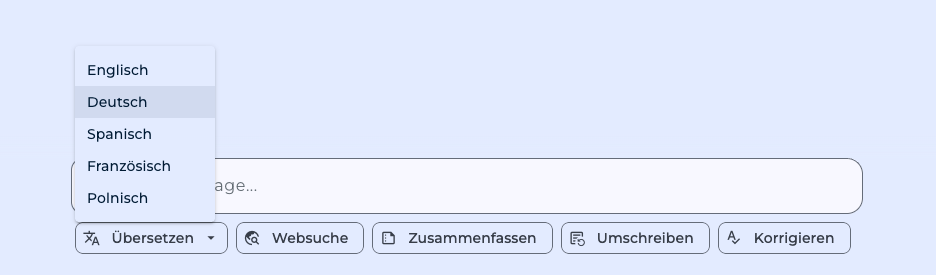
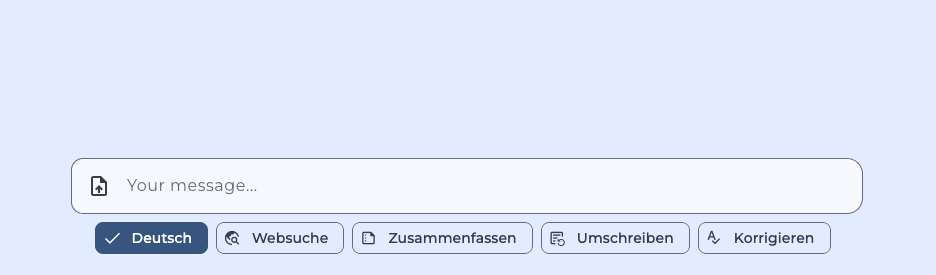
Single-select Dropdown Chip
Set Dropdown Values (e.g. English,German,French or English=en,German=de,French=fr) and leave Dropdown Multi-select off.
The chip expands into a dropdown that lets the user pick one option. The chosen value (the right-hand side of Label=value, or the bare entry if no = is used) is sent into the flow.
The output Data contains:
{ "chip_label": "<label>", "chip_value": "<selected value>", "message": "<user message>" }
Multi-select Dropdown Chip
Set Dropdown Values and turn Dropdown Multi-select on.
The chip lets the user pick any subset of the configured values. The chosen values are delivered as a list.
The output Data contains:
{ "chip_label": "<label>", "chip_values": ["<value1>", "<value2>"], "message": "<user message>" }

Validation
If the user submits a value that isn't in the chip's configured Dropdown Values, the flow run fails with a validation error listing the allowed values. A chip with no configured values that nonetheless receives one also fails — action chips don't accept payloads.